
How To Fill AKTU Exam Form: Step-by-Step Process

How To Fill Exam Form AKTU (Simple Guide)
Filling the AKTU exam form can feel confusing the first time. But if you follow the steps properly, it becomes very simple.
Step 1: Go To AKTU Exam Portal
Open the official website: AKTU Exam Portal
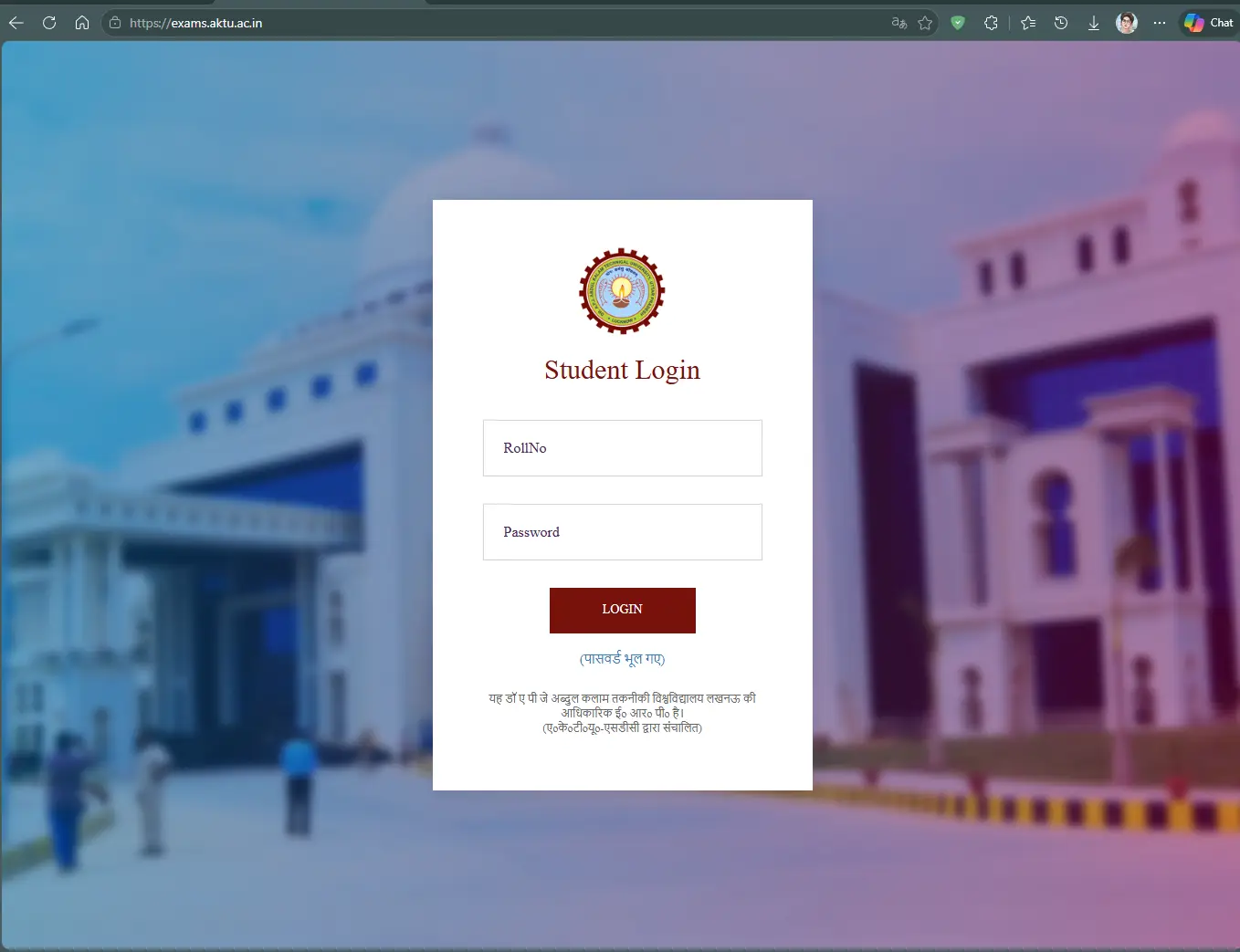
Enter your roll number and password to login. If you forgot your password, reset it here: Reset AKTU password
Step 2: Click on Exam Form Dashboard
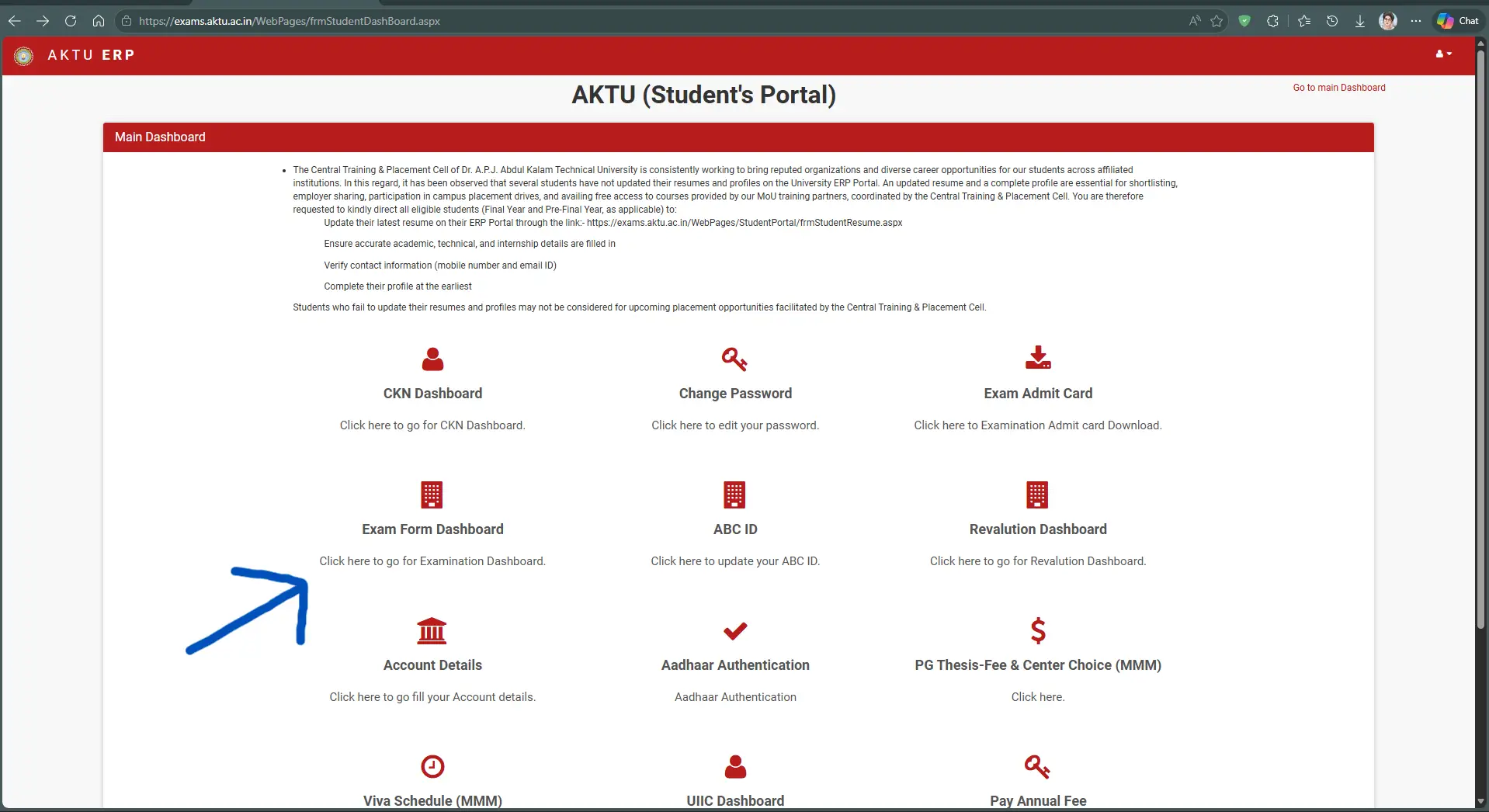
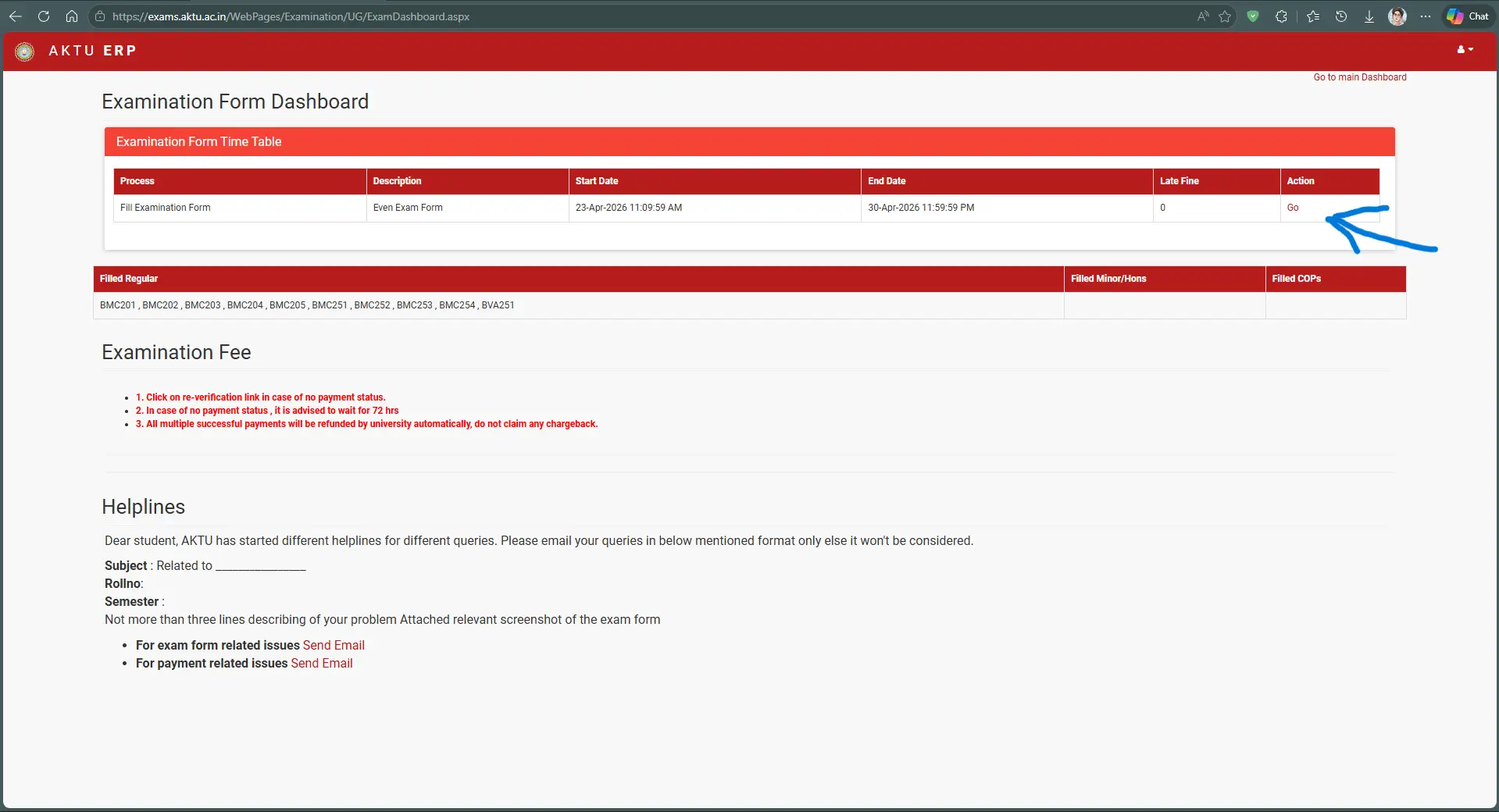
After login, go to the dashboard. Look for Examination Form and click on GO in the action section.
Step 3: Enter ABC ID and Aadhaar Number
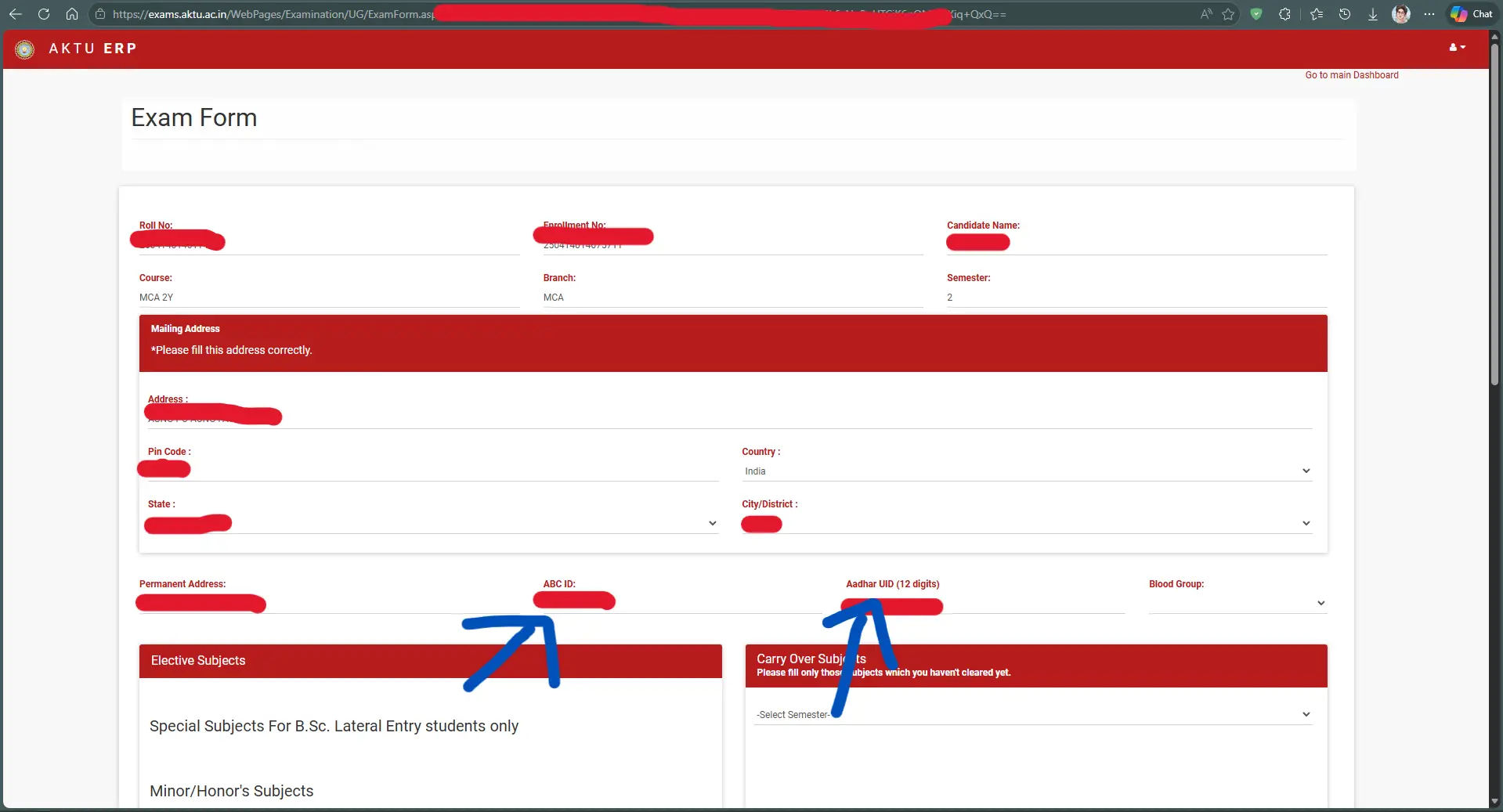
Enter your ABC ID and 12-digit Aadhaar number. If additional fields appear, fill them carefully.
Step 4: Submit the Exam Form
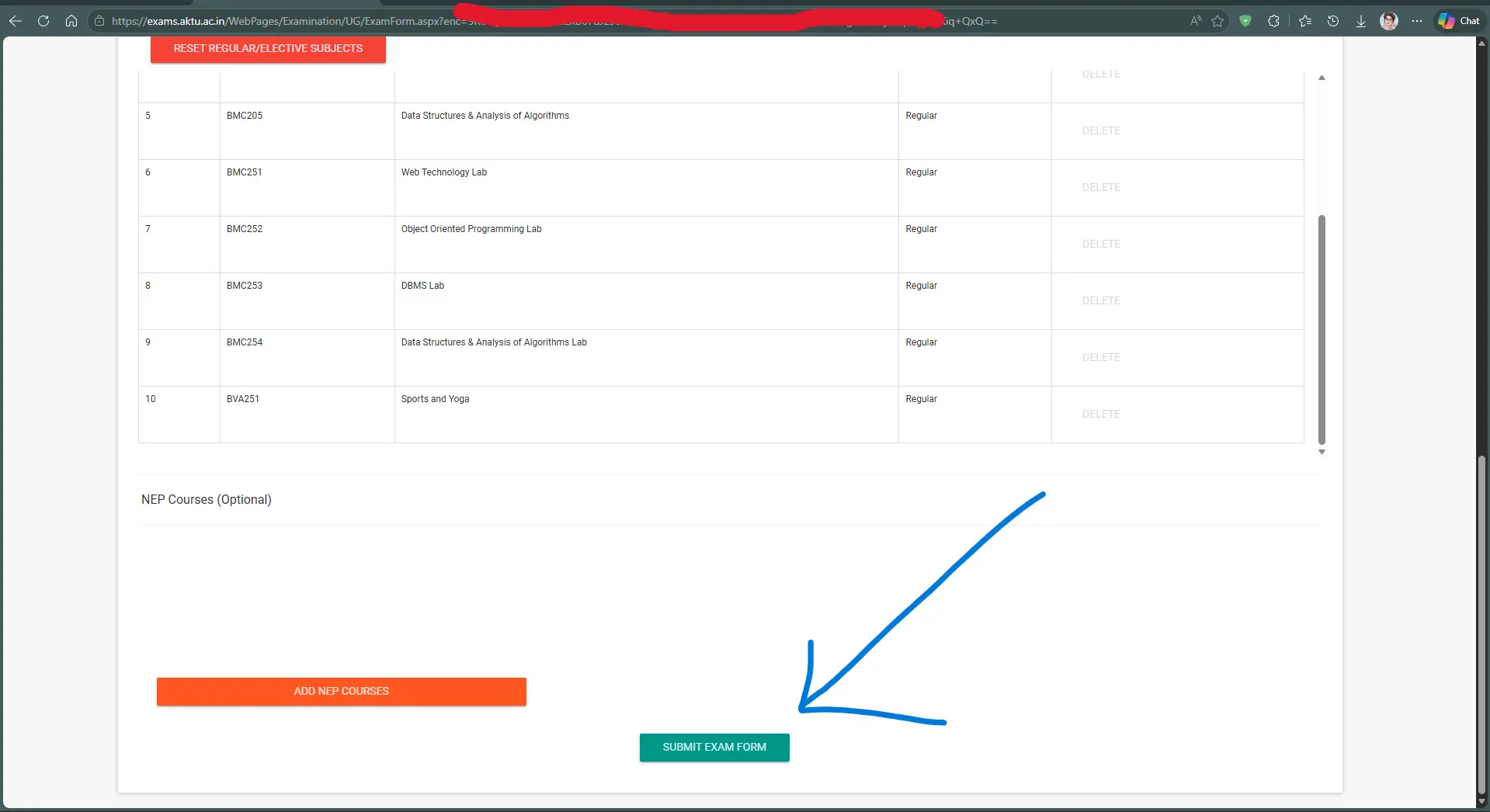
Review all details carefully. Once everything looks correct, click on Submit Exam Form.
Step 5: Pay Exam Fees
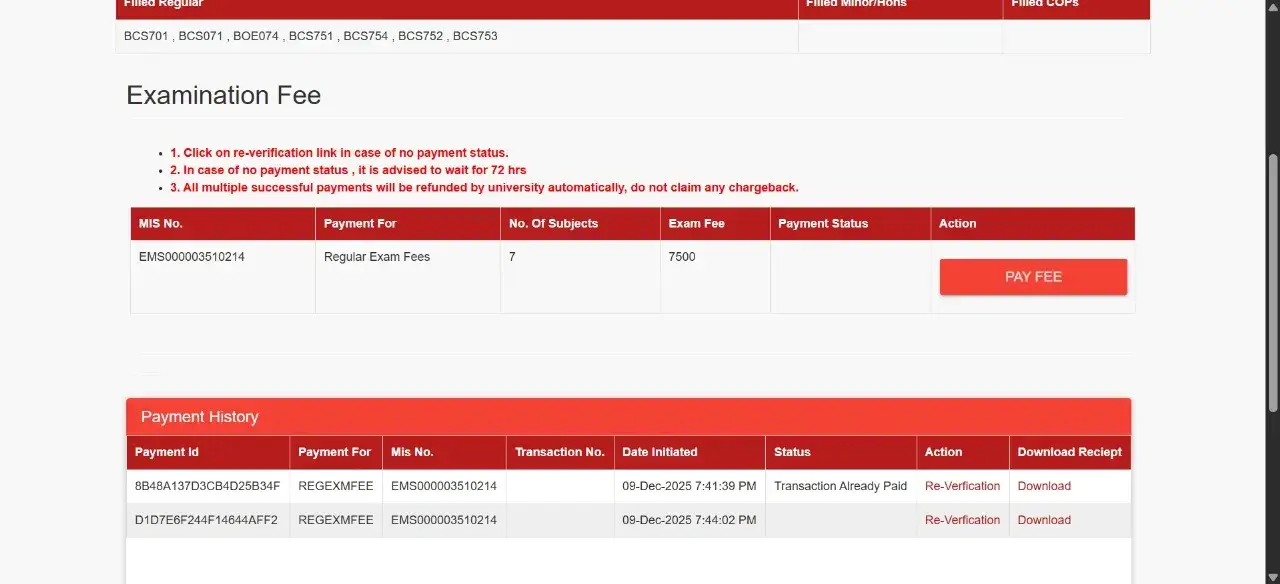
Go back to the dashboard and complete the payment process. Your form is only valid after successful fee payment.
Final Advice
Don’t rush. One small mistake can create unnecessary problems later. Always double-check your details before submitting.

Written by
MonishMonish is an education writer covering exams, student rights, academic awareness, and other education-related topics, with practical guidance for students.